A modern Fabric utility mod with a customizable HUD, Click GUI, rendering enhancements, and quality-of-life features — without the bloat.
Trusted by the community • CC0-1.0
Fabric • Modrinth Verified • CC0-1.0 • Minecraft 26.1 – 26.3 • Client-side Only • No Telemetry • GitHub Open Source
Everything you need. Nothing you don't.
60+ client-side utilities — performance, HUD, rendering and more. Lean, fast, and fully configurable.
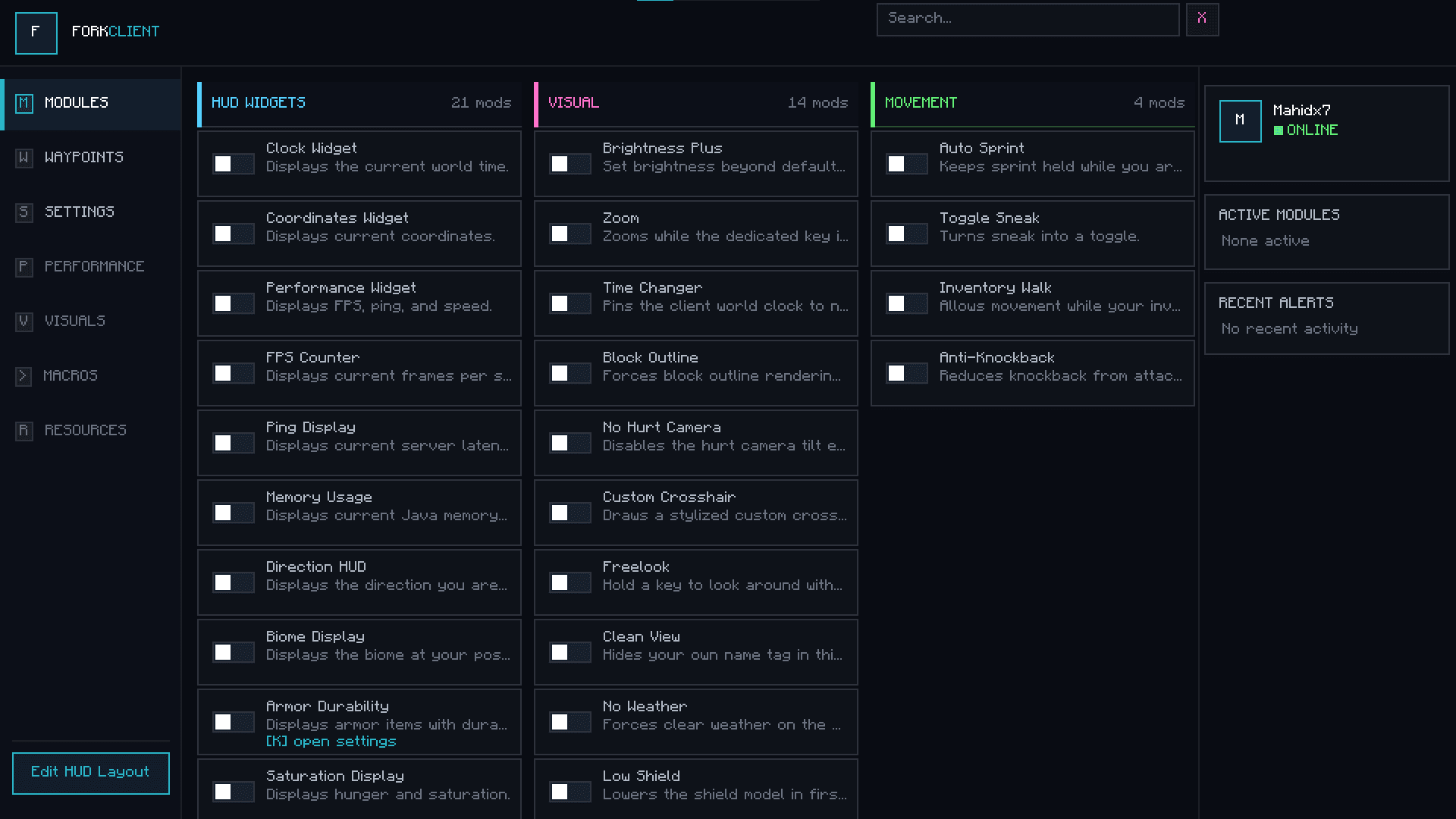
Click GUI
Fully configurable in-game panel. Categories, keybinds, search — toggle modules instantly.
HUD Editor
Drag, snap and scale every HUD element. ArrayList, armor, coords — your layout.
MotionBlur Plus
Buttery motion blur 0-100% — style without shader lag.
Entity Culling
Distance-based rendering. High FPS in crowded lobbies and farms.
AntiKnockback
Fine-grained KB control. Block all or allow specific hits.
ArrayList HUD
Live module list — vertical or horizontal, sorted and styled.
And 50+ more modules
Explore all features →
Combat, Render, Movement, World and more.
Designed to feel native
Fork Client overlays your game without replacing it. Clean typography, subtle motion, and zero clutter — so you stay focused on playing.
- GPU-friendly effects — no shader pack required
- Per-module keybinds & search in Click GUI
- Remembers layout across restarts
Why Fork Client?
Fork vs Typical ClientsUp and Running in Minutes
Getting started with Fork Client is simple. Four steps between you and an enhanced Minecraft experience.
Install Fabric
Install the Fabric mod loader for your Minecraft version. It takes just a few minutes.
Download Fork Client
Grab the latest release from Modrinth or our downloads page. One .jar file, that's it.
Drop into Mods Folder
Place the .jar in your Minecraft mods folder. No extra configuration needed.
Play & Customize
Launch Minecraft and open the Click GUI. Toggle modules, adjust settings, and make it yours.
Get the latest build
Direct download or via Modrinth. Fabric required.
Loved by Players
Join a growing community of players who trust Fork Client to enhance their Minecraft experience.
Fork Client is the cleanest utility mod I've used. The Click GUI is intuitive and the HUD editor makes customization effortless.
Minecraft Modder
Active Player
Love that it's open source under CC0. The MotionBlur effect is gorgeous and Entity Culling gives me a real FPS boost.
Performance Enthusiast
Content Creator
Finally a client mod that doesn't try to do everything. It focuses on the essentials and does them really well.
Vanilla Purist
Community Member
Got questions?
Quick answers for new players.
Fork Client is client-side only and does not include server-side cheats. Most servers allow utility mods, but always check a server's rules before joining.
Fabric 1.20.1+ through 1.21.x. Latest builds track 26.1 – 26.2. See Downloads for exact version matrix.
Install Fabric Loader, then drop the Fork Client .jar into your mods folder. Launch the profile — that's it.
Yes. Licensed under CC0-1.0. Source is on GitHub, releases on Modrinth. No ads, no tracking.
Entity Culling and lean rendering help you gain FPS. MotionBlur is GPU-friendly and configurable from 0-100%.
Ready to Enhance Minecraft?
Download Fork Client today and experience Minecraft the way it was meant to be played. Free, open source, and community-driven.